


TriPeaks Solitaire
4.63.77K Reviews
App Specs
- Version
- 3.3.5.4197
- Updated On
- License
- Free
- Downloads
- 1,000,000+
- Developer
- MobilityWare
- Categories
- Card
- Platform
- Android
Screenshots
 Analysis by AppCompare
I found TriPeaks Solitaire easy to pick up but more interesting to assess than its simple appearance suggests. It is a free card game from MobilityWare, built around the familiar TriPeaks layout rather than a large collection of unrelated modes. That focus is useful: I can open it for a short break, understand the objective almost immediately, and stop without feeling as if I have left a long campaign unfinished.
The game is aimed at Everyone, and that broad audience makes sense for the basic rules. Still, “easy to understand” is not the same as “comfortable for every player.” Card size, contrast, touch accuracy, visual fatigue, interruptions, and the pressure of making quick choices all affect the experience. I spent time looking at those practical details because a card game succeeds only when its board remains readable and manageable in the situations where people actually play.
Its store rating sits at a 4.6 average from around 28 thousand ratings, and the game has passed 1 million installs. Those figures suggest a well-established casual audience, though they do not remove the need to decide whether this particular style of solitaire suits you. My overall impression is positive, especially for players who want a straightforward puzzle with a familiar deck, but I would not call it an automatic fit for anyone who needs highly adjustable presentation or dislikes repeated card layouts.
How comfortably the game communicates what to do
I focus here on how clearly TriPeaks Solitaire makes its next move understandable, because that clarity shapes whether a quick round feels relaxing or fiddly. I’ll look beyond learning the rule to the small choices that help me keep my place and avoid tapping on impulse. That also sets up a closer look at how the board feels in an ordinary play session.
Readable rules and a low-friction first session
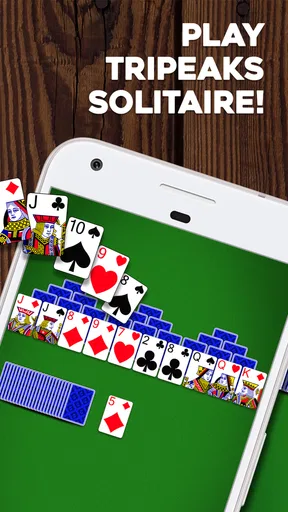
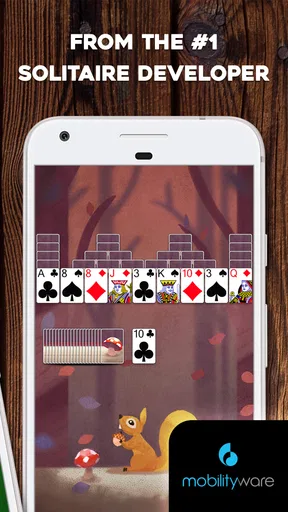
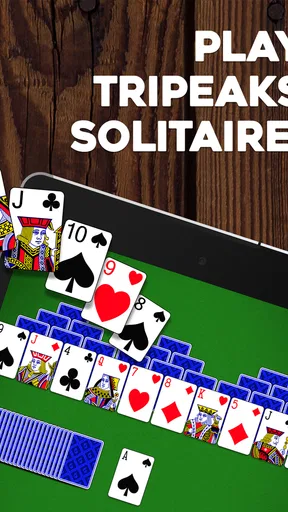
TriPeaks Solitaire uses a simple central idea: remove cards from the exposed tableau by selecting the next card in sequence from the available card. The TriPeaks arrangement gives the board a recognizable shape, while the stock and discard areas provide a clear sense of where the round is moving. I did not need a lengthy explanation before making useful decisions, which is exactly what I want from a casual solitaire game.
The strongest part of the design is how little mental translation is required. I am not learning a complicated interface and then separately learning the card rules. The board itself points toward the next action. That makes it suitable for a quick first play, and it also helps when I return after several days away. I can remember the rhythm without studying instructions again.
Navigation feels most comfortable when I treat each round as a small visual puzzle rather than a race. I look for the longest possible run before tapping, especially when several exposed cards are available. This is more than a basic beginner tip: clearing one card can reveal another, so the best move is often the one that preserves future choices rather than the one that is immediately obvious. The game rewards a pause before acting.
Worth Reading Before You Choose

EA SPORTS FC Mobile 26 Is a Bigger Football Game, but It Takes Time

Flipboard Shows What News Apps Must Do Beyond the Feed

Switching to Android Auto Means Rethinking Your Driving Routine

Google Calendar Makes a Crowded Week Easier to Manage

Ludo King Makes the Most of the Minutes Between Plans

Baby Panda World Brings Quick Play to Modern Phones, but Its Game Library Feels Busy
That pause is also important for players who process visual information more slowly. The board does not require fast reflexes in the way an action game would, but a player can still create unnecessary pressure by tapping as soon as a legal move appears. I found the experience calmer when I scanned the whole tableau first, then selected a card deliberately. For someone introducing the game to a child, an older relative, or a newcomer to solitaire, explaining that habit may make the first sessions less frustrating.
What the card layout does well, and where it can become busy
The familiar deck symbols carry most of the information. Rank determines whether a card can be played, while suit is generally less important to the main decision. That is helpful for players who find suit-heavy card games tiring, because the visual task is concentrated on recognizing numbers and face-card identities rather than tracking several simultaneous rules.
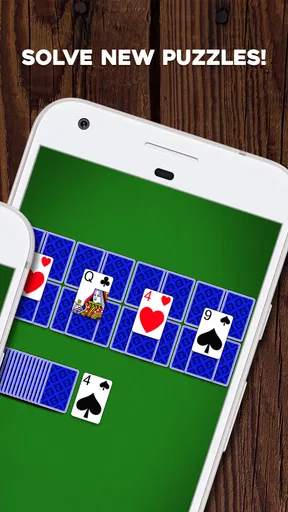
On a small phone, however, a compact tableau can become visually dense. Overlapping cards mean that the lower portions of some cards are hidden, and the player has to rely on the visible rank and the position of each card. I found this manageable when the phone was held at a comfortable distance, but less pleasant when I was tired or playing in poor light. A larger screen is not essential, yet it can make the board easier to inspect without repeated squinting.
One useful workflow is to rotate attention between the exposed row and the peaks instead of staring at the entire board continuously. I first identify every currently playable card, then check which choice opens a covered card. This reduces visual wandering and makes the game feel more organized. It is a small technique, but it matters for players who lose their place when several overlapping shapes compete for attention.
The game’s plain card logic is also an advantage for people who want a puzzle without decorative clutter. At the same time, anyone who depends on very large text, unusually strong contrast, or extensive visual customization should examine the actual play screen on their device before committing to long sessions. The age rating and simple rules make the game broadly approachable, but they should not be confused with a promise that every visual need is covered.
Touch control and motor effort
Playing is based on tapping cards, so the physical demand is modest compared with games that require dragging, rapid swipes, or several simultaneous controls. I can play with one hand during a short break, and the basic interaction does not require complicated gestures. That makes it a reasonable option for someone who wants light touch input rather than a game built around speed.
There is still a difference between low effort and no effort. Overlapping cards can make precise selection important, particularly when two exposed areas sit close together. A player with reduced finger accuracy may occasionally tap the wrong card or need to reposition the phone. I would recommend using a stable grip and playing on a surface when possible instead of holding the device at an awkward angle.
A practical strategy for motor comfort is to avoid rapid repeated taps. I select one card, confirm the board has changed, and then continue. This sounds obvious, but it prevents accidental choices when the interface is responding to a previous action. It also gives players who need more time a predictable rhythm. The game’s appeal is not dependent on frantic input, so there is little reason to manufacture speed.
Players who use a stylus may find the card targets easier to isolate, while those using a phone with a very small display may find the opposite. This is one area where the same game can feel accessible on one device and awkward on another. The most sensible test is a short session: check whether you can select exposed cards confidently without repeatedly covering the board with your hand.
Sound, attention, and playing in everyday situations
Card games are often chosen for places where attention is divided, and this one works best when the player can give the board a few uninterrupted seconds at a time. I can imagine playing while waiting for an appointment, during a quiet commute, or between household tasks. The game does not demand a long continuous commitment, so it fits naturally into small gaps.
That convenience has a limit. If I am walking, talking to someone, or watching for a stop, I should not play; the board still requires visual attention and deliberate decisions. It is better suited to a seated pause than to an activity where the phone competes with safety or social awareness. This may sound obvious, but casual games are easiest to misuse precisely because they feel harmless.
For sensory comfort, I prefer a quiet setting and a moderate screen brightness. A bright display in a dark room can make a short round feel more tiring than expected, while glare can hide card details outdoors. These are not flaws unique to the game, but the overlapping layout makes glare especially inconvenient because a missed rank can change the entire decision.
The game is also a plausible choice for someone who wants a quiet alternative to visually explosive mobile entertainment. Its card-based structure keeps the focus narrow, and the rules do not require constant animation tracking. Even so, players sensitive to movement, sounds, or sudden feedback should adjust their device settings where possible and keep sessions short if the presentation becomes tiring.
How it compares with other solitaire choices
Compared with Klondike, TriPeaks feels more like a sequence-planning puzzle than a traditional tableau-building exercise. Klondike asks me to manage foundations, alternating colors, and hidden-card access in a way that can feel more methodical. TriPeaks is quicker to understand and often gives me a clearer immediate objective: find a legal next card and decide whether using it helps expose more of the board.
Compared with Spider Solitaire, this game is less demanding in terms of organizing long sequences and managing multiple suits. Spider can provide deeper planning for players who enjoy a heavier challenge, but it also asks for more sustained concentration. I would choose TriPeaks when I want the card-game feeling without turning a short break into a large mental project.
Compared with FreeCell, TriPeaks feels less like a fully controlled logic exercise. FreeCell players often enjoy knowing that careful planning can solve a deal through deliberate manipulation. TriPeaks includes uncertainty in the available sequence and can be more dependent on the order of cards. That makes it lighter and more spontaneous, but it may disappoint someone looking for a puzzle where every outcome feels primarily determined by skill.
There is also a social difference between this focused game and multiplayer card apps. I do not open it for conversation, competition with friends, or a shared table. Its strength is solitary concentration. If the main reason you play cards is interaction with other people, a multiplayer alternative will serve you better. If you want a self-contained activity that can begin and end quickly, the TriPeaks format is a better fit.
Progress, purchases, and the shape of the free experience
The game is free to download, with in-app purchases ranging from $1.99 to $9.99 per item. That makes the initial decision straightforward: I can try the core experience without paying first. Whether optional purchases feel worthwhile depends on how much additional content or convenience a particular player wants, but I would approach them as extras rather than part of the basic reason to install a solitaire game.
I also appreciate that the central appeal does not require a complicated learning investment. A free trial session tells me quickly whether the card layout suits my eyes and whether the repeating puzzle rhythm holds my attention. That is more useful than judging it from the name alone. Before spending money, I would play in the same conditions where I expect to use it: on the actual phone, with the brightness and grip I normally use.
The current version is 3.3.5.4197, and the game requires Android 8.0 or later. For someone with an older Android device, that requirement is the first practical check. For everyone else, the more important question is not raw compatibility but comfort: can the device display the overlapping cards clearly, and can the player tap without strain?
I would skip purchases entirely if my goal were simply a few occasional rounds. A regular player who enjoys returning to the same style of puzzle may view optional spending differently, but the game should earn that decision through actual use. My recommendation is to establish a routine first, notice which parts genuinely improve your play, and avoid buying merely because a difficult deal feels frustrating.
Who will enjoy it, and who should look elsewhere
I think this is a strong match for casual solitaire fans who want a recognizable card game with a shorter decision loop than some classic alternatives. It is particularly suitable for a person who likes planning several moves ahead but does not want to manage a large collection of rules. The Everyone rating also makes the basic concept approachable for families, although younger players may still need help understanding why saving a playable card can be smarter than using it immediately.
It can also work well for older players who already know card games and want something less elaborate than Spider or FreeCell. The key condition is visual comfort. If the card faces look small or the overlapping layout is difficult to distinguish, familiarity with solitaire will not solve that problem. A larger device may help, but I would not assume it will fully address every accessibility need.
I would look elsewhere if you need extensive control over card size, colors, or the visual presentation. I would also choose another category if I wanted a story, a competitive ladder, multiplayer interaction, or a game that constantly introduces new mechanics. TriPeaks Solitaire deliberately stays close to its core idea, and that focus is either its best feature or its main limitation depending on what you expect.
Players who dislike luck influencing card games may also be happier with a more deterministic puzzle. Here, thoughtful sequencing matters, but a good plan cannot make every deal feel equally favorable. I enjoy that uncertainty in moderation because it keeps the game relaxed, yet I understand why a player seeking complete control might find it unsatisfying.
My inclusive verdict after playing
MobilityWare has made a card game that communicates its basic purpose quickly and asks for relatively light physical input. Its biggest inclusive strength is the combination of familiar symbols, simple rules, and a pace that allows deliberate tapping. I can use it in a short quiet break, return after time away, and make progress without memorizing a complex interface.
Its remaining barriers are practical rather than dramatic: overlapping cards can challenge tired eyes, small screens can make selection less comfortable, glare can reduce clarity, and the game is not designed to replace a highly customizable accessibility tool. The free price makes testing easy, while the in-app purchase range means I would still keep spending optional until I knew the game had become part of my routine.
My recommendation is to try it when you want a focused, low-pressure solitaire puzzle that fits into ordinary pauses. Use a stable grip, give yourself time to scan the peaks before tapping, and test readability in your usual lighting. If those conditions work for you, this is a polished and approachable TriPeaks option. If you need deep presentation controls, guaranteed deterministic solving, or social card play, another game will be the more inclusive choice for your particular needs.
Pros
- Simple rules make it easy for beginners to learn quickly.
- Short rounds are ideal for quick breaks or casual play.
- Undo options help you recover from an accidental move.
- Runs smoothly on most modern Android and iOS devices.
- Familiar solitaire format offers relaxing
- low-pressure gameplay.
Cons
- Some deals may feel repetitive after extended sessions.
- Progress can depend partly on the cards you are dealt.
- Small cards may be difficult to read on compact screens.
- Optional ads may interrupt play between or during rounds.
- Limited strategic depth may not satisfy experienced card players.
FAQs for TriPeaks Solitaire
What is TriPeaks Solitaire and how is it played?
TriPeaks Solitaire is a single-player card game based on the classic Solitaire format. The goal is to clear three pyramid-shaped peaks by selecting cards that are one rank higher or lower than the card currently shown in the waste pile. You can continue building a sequence until no valid move remains, then draw another card from the stock. The game combines simple rules with strategic decision-making.
Is TriPeaks Solitaire free to download and play?
Most TriPeaks Solitaire apps are free to download and offer the main game without an upfront payment. However, the exact experience depends on the version you install. Some editions include advertisements, optional purchases, premium themes, extra lives, or ad-removal subscriptions. Before downloading, check the app store listing for pricing details, in-app purchase information, and whether any features are restricted behind a payment.
Can I play TriPeaks Solitaire offline?
Many TriPeaks Solitaire versions support offline play, allowing you to enjoy standard rounds without a Wi-Fi or mobile data connection. Offline availability can vary between developers, especially when the app includes daily challenges, leaderboards, cloud saves, or online events. It is also common for advertisements or bonus content to require an internet connection. Check the app description and test the game in airplane mode after installation.
Is TriPeaks Solitaire suitable for beginners?
Yes, TriPeaks Solitaire is generally easy for beginners to learn because its central rule is straightforward: play a card that is immediately above or below the current waste-pile card. Most versions provide tutorials, hints, undo options, and clearly marked playable cards, making the first games comfortable for new players. As you improve, the challenge comes from planning sequences and deciding when to use limited stock cards.
Does TriPeaks Solitaire include hints, undo moves, or different game modes?
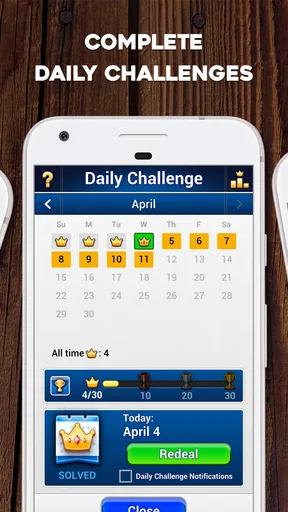
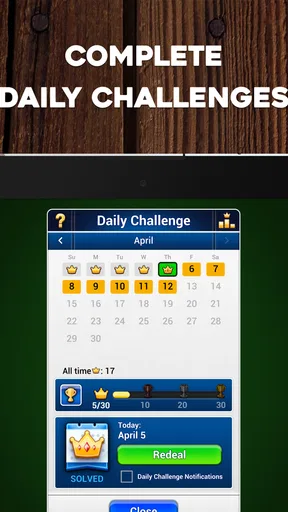
Features vary by app, but many TriPeaks Solitaire games include helpful tools such as hints, unlimited or limited undo moves, reshuffles, scoring systems, and timed rounds. Some also offer daily puzzles, progressive levels, achievements, statistics, customizable card designs, and multiple difficulty settings. These extras can make the game more engaging, although certain tools may be limited by advertisements, in-game currency, or optional purchases.


